



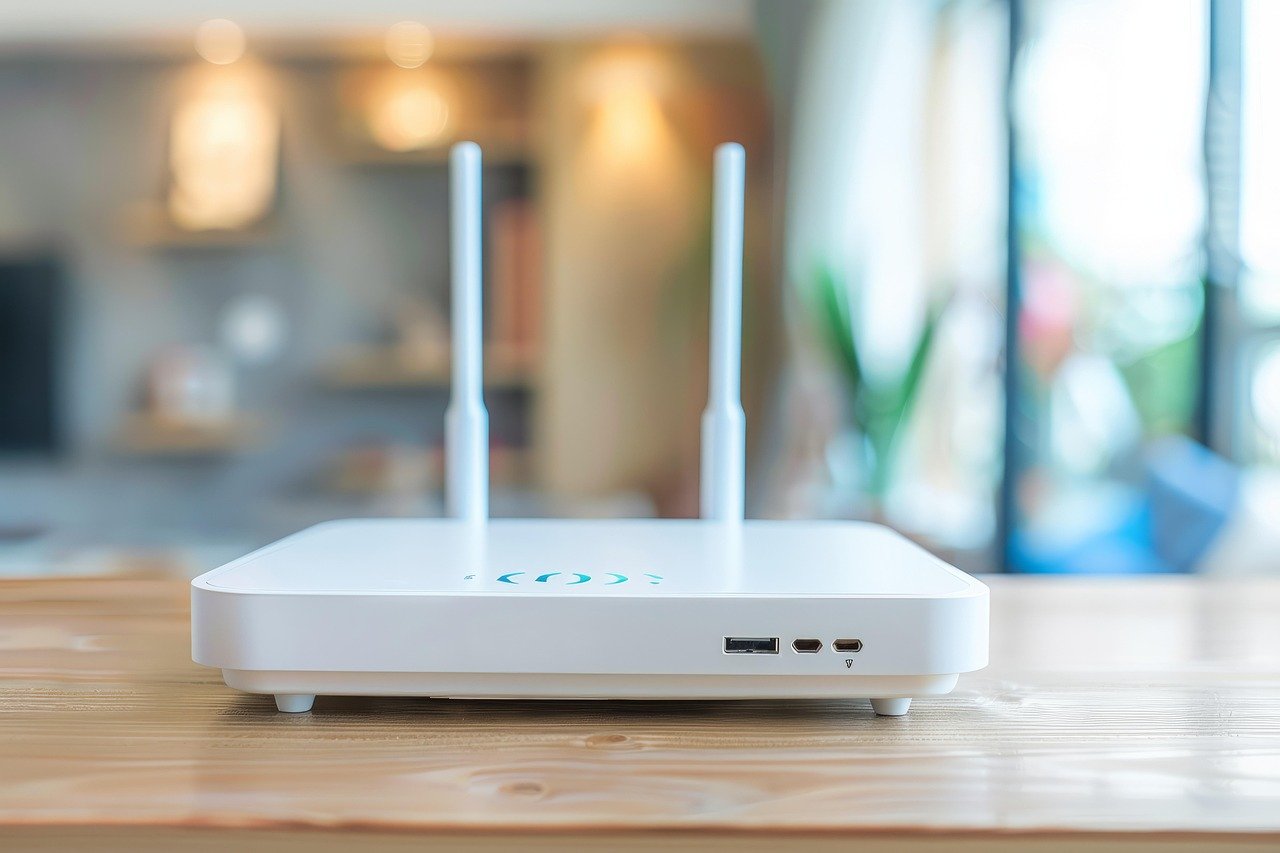
Your home Wi-Fi router is the most overlooked security device you own. It quietly connects your phones, laptops, smart TVs, cameras, voice assistants, and work systems to the internet. If it is compromised, everything behind it becomes visible, manipulable, or exploitable.
For attackers, a poorly secured router is not a technical challenge. It is an invitation. From spying on browsing activity to hijacking online accounts and planting malware, home Wi-Fi breaches now lead directly to identity theft, financial fraud, and long-term privacy loss. The risk is not theoretical. It is routine.
Most people assume cyberattacks target only large companies or careless individuals. In reality, home networks are among the easiest and most profitable targets because users rarely harden them after installation.
This guide explains why basic Wi-Fi safety habits are no longer enough, how modern attacks work, and what practical steps you can take today to secure your router and protect every device connected to it.
Why Your Home Wi-Fi Is a High-Value Target
Attackers do not need to break into each device if they can compromise the network itself. A router sits at the center of digital life. Once breached, it enables monitoring of traffic, credential harvesting, redirection to fake websites, and silent malware delivery.
The consequences extend far beyond slow internet or strange pop-ups. Compromised routers have been used to drain bank accounts, spy on video calls, hijack social media sessions, and pivot into work laptops used for corporate access. For remote workers and students, this risk multiplies.
Home routers are attractive because many still run default passwords, outdated firmware, or weak encryption. Attackers automate scans across the internet looking for these exact weaknesses.
Common Home Wi-Fi Attack Methods You Should Understand

Router Password Guessing and Default Credentials
Many routers are installed and forgotten. Attackers exploit this by trying default usernames and passwords that manufacturers ship with devices. Even custom passwords are often weak or reused, making brute force attempts successful.
Once logged in, attackers can change DNS settings, open hidden backdoors, or lock you out entirely.
Fake Wi-Fi Networks and Evil Twin Attacks
Public or nearby rogue networks often mimic legitimate Wi-Fi names. When users connect, attackers intercept traffic, steal login credentials, and inject malicious content. This risk increases in apartments where multiple similar networks exist.
If your home network uses outdated security standards, devices may automatically connect to stronger looking fake networks.
Firmware Exploits and Unpatched Vulnerabilities
Routers run software just like computers. Unpatched vulnerabilities allow attackers to execute commands remotely, often without authentication. Many home users never update firmware, leaving years of known flaws exposed.
Once exploited, these routers can be added to botnets or used as persistent spying tools.
DNS Hijacking and Traffic Redirection
Attackers modify router DNS settings so web traffic is silently redirected through malicious servers. This enables phishing even when users type correct website addresses. Banking and email credentials are prime targets.
Because pages often look legitimate, victims rarely realize anything is wrong.
Insecure Smart Devices as Entry Points
Smart TVs, cameras, bulbs, and IoT devices frequently lack strong security controls. Attackers compromise them first, then pivot to the router or other connected systems.
Your router security is only as strong as the weakest device connected to it.
Why Old Wi-Fi Safety Advice No Longer Works
Telling users to hide their network name or rely on antivirus software misses the point. Modern attacks target infrastructure, not individual apps. Encryption standards have evolved, attack automation has increased, and routers are now internet facing computers.
Security must be layered. One weak control invalidates several others.
Relying on ISP default settings or assuming your router is secure because it works is a dangerous assumption.
Step-by-Step Guide to Secure Your Home Wi-Fi Router
Change Default Login Credentials Immediately
Access your router’s admin panel and change both the username and password. Use a long, unique password that is not reused anywhere else. This single step blocks a large percentage of automated attacks.
Store the credentials securely. Do not write them on the router.
Update Router Firmware Regularly
Check for firmware updates through the router settings or manufacturer website. Updates fix known vulnerabilities that attackers actively exploit.
Enable automatic updates if available. If your router no longer receives updates, it is time to replace it.
Use Strong Wi-Fi Encryption Settings
Set your Wi-Fi security to WPA3 if supported. If not, use WPA2 with AES encryption only. Avoid mixed or legacy modes that allow older, weaker protocols.
Choose a strong Wi-Fi password. Length matters more than complexity.
Disable Remote Management and Unused Services
Remote administration exposes router controls to the internet. Disable it unless absolutely necessary. Also turn off features like WPS, UPnP, and guest access if you do not use them.
Every enabled service increases attack surface.
Secure DNS and Monitor Changes
Manually configure trusted DNS providers or use your ISP’s secure defaults. Periodically check DNS settings to ensure they have not been altered.
Unexpected changes are often a sign of compromise.
Segment Your Network Devices
Create a separate network for smart devices and guests. Keep work laptops and personal phones on the primary network. This limits damage if one device is compromised.
Many modern routers support guest or VLAN networks with minimal setup.
Enable Firewall and Logging Features
Activate the router firewall and review logs occasionally. While logs may seem technical, sudden spikes in connections or unknown access attempts are red flags worth investigating.
Security visibility matters even at home.
What to Do If You Suspect Your Wi-Fi Is Compromised
If you notice slow speeds, unexpected redirects, unknown devices, or settings you did not change, act quickly.
Reset the router to factory settings. Update firmware immediately after. Change all passwords associated with the network, including Wi-Fi and admin credentials. Reconnect devices carefully, ensuring they are malware free.
If sensitive accounts were accessed during the breach, change those passwords and enable additional security controls.
Building Long-Term Home Network Hygiene
Router security is not a one-time task. Treat it like basic home maintenance. Review settings every few months. Remove unused devices. Replace aging hardware that no longer receives updates.
As homes become more connected, the router becomes a digital front door. Locking it properly protects everything inside.
Final Thoughts
Home Wi-Fi security does not require expert knowledge, but it does demand attention. Attackers rely on neglect, outdated assumptions, and default settings. By taking deliberate steps, you dramatically reduce your exposure to surveillance, fraud, and data theft.
Strong digital hygiene starts at the network level. A secure router quietly protects every message, transaction, and login that passes through it.
DailyBreach.in will continue to break down complex cybersecurity risks into practical guidance you can act on. Because security should be accessible, current, and taken seriously, especially at home.
Sources
- National Institute of Standards and Technology (NIST). Cybersecurity for Home Users and Small Businesses
https://www.nist.gov/cyberframework/getting-started-cybersecurity-small-businesses - Cybersecurity and Infrastructure Security Agency (CISA). Securing Wireless Networks
https://www.cisa.gov/resources-tools/resources/securing-wireless-networks - CISA. Internet of Things (IoT) Security Guidance
https://www.cisa.gov/iot - Wi-Fi Alliance. Wi-Fi Security Explained (WPA2, WPA3)
https://www.wi-fi.org/discover-wi-fi/security - Federal Trade Commission (FTC). How to Secure Your Home Wi-Fi Network
https://consumer.ftc.gov/articles/how-secure-your-home-wi-fi-network - Kaspersky Resource Center. How Hackers Attack Home Routers
https://www.kaspersky.com/resource-center/preemptive-safety/how-hackers-attack-routers - Cisco. What Is DNS Hijacking and How to Prevent It
https://www.cisco.com/site/us/en/learn/topics/security/what-is-dns-hijacking.html - Cloudflare Learning Center. What Is DNS and Why It Matters for Security
https://www.cloudflare.com/learning/dns/what-is-dns/ - OWASP. IoT Top 10 Security Risks
https://owasp.org/www-project-internet-of-things/ - US-CERT Archive. Home Network Security
https://www.cisa.gov/uscert/ncas/tips/ST15-002