






Introduction
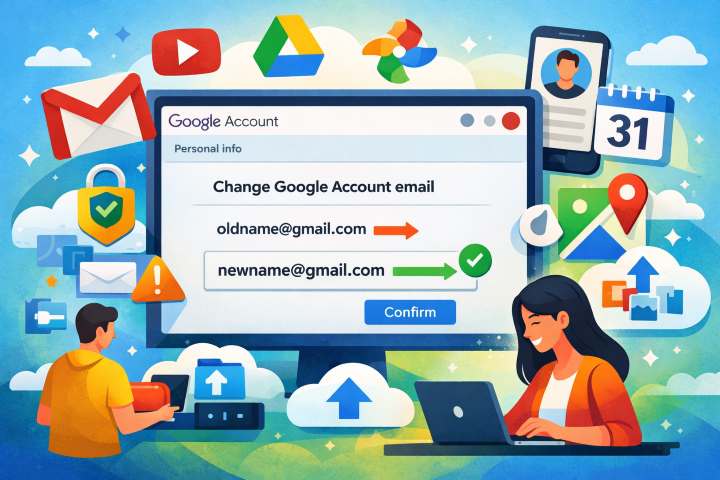
Google has begun rolling out a long-requested feature that allows users to change the @gmail.com email address linked to their Google Account while retaining all existing data. The update eliminates a long-standing limitation that forced users to live with outdated or regretted usernames or undergo disruptive account migrations.
Background and Context
For years, a Gmail address functioned as a permanent identifier across Google services, including Gmail, Drive, YouTube, Maps, and Photos. Users dissatisfied with their original username had few viable options beyond disabling Gmail or shifting to a non-Gmail domain, both of which introduced friction and risked data loss.
The new capability directly addresses this usability gap, offering a seamless way to refresh a digital identity without sacrificing years of stored emails, files, and personal data.
Feature Rollout and Availability
According to updated Google support documentation, the rollout has recently begun and is being deployed gradually. As with many Google features, availability depends on account eligibility and regional rollout phases, meaning some users may not yet see the option.
How the Gmail Address Change Works
Eligible users can verify availability by signing in on a desktop browser and navigating to the Google Account dashboard:
- Go to Personal info
- Select Email
- Look for Google Account email
- If the option Change Google Account email appears, the feature is enabled for that account
Users can then choose a new @gmail.com username, provided it is not already in use or recently deleted by another account.
Technical and Account-Level Considerations
While the process preserves all core data, Google advises users to prepare for temporary disruptions:
- Chromebook users may encounter directory synchronization issues
- Third-party services using “Sign in with Google” may require reauthentication
- Chrome Remote Desktop sessions may disconnect and need reconnection
- App-level settings on Android devices may reset, similar to a fresh sign-in
To mitigate risk, users are encouraged to back up data, sync Chrome, export Android device information, secure contacts and photos, and verify recovery options before proceeding.
Security and Privacy Implications
Cybersecurity professionals view the update as a positive step toward improved account hygiene. Changing an easily guessable or compromised-feeling email address can reduce exposure to targeted phishing and credential-stuffing attacks. However, experts caution against rushed changes. Incomplete recovery setups or outdated backup emails could result in temporary account lockouts. Enabling two-factor authentication and validating login access immediately after the change are strongly recommended.
Post-Change Behavior and Limitations
After the update:
- The original email address becomes an alternate address
- Both addresses can be used to sign in
- All emails, Drive files, Photos, and messages remain intact
- The new address becomes the primary identifier for sharing and invitations
Users can revert to the original address if needed, but Google enforces a 12-month cooldown before another new @gmail.com address can be created. The newly created address also cannot be deleted during this period, a safeguard designed to prevent abuse and username squatting.
Outlook
This update reflects a broader shift toward user-centric account controls and flexibility. By reducing friction and enhancing identity management, Google sets a precedent that could influence competing platforms to adopt similar measures.
As the phased rollout continues, users should periodically check their account settings to see when the option becomes available. For many, the ability to modernize a Gmail identity without data migration marks a meaningful improvement in both usability and security.